
Touch & Tell is using two different tablets for the surveys. This is a guide for the Samsung tablet. If your tablet looks like the one on the picture below, you have the Samsung-model.
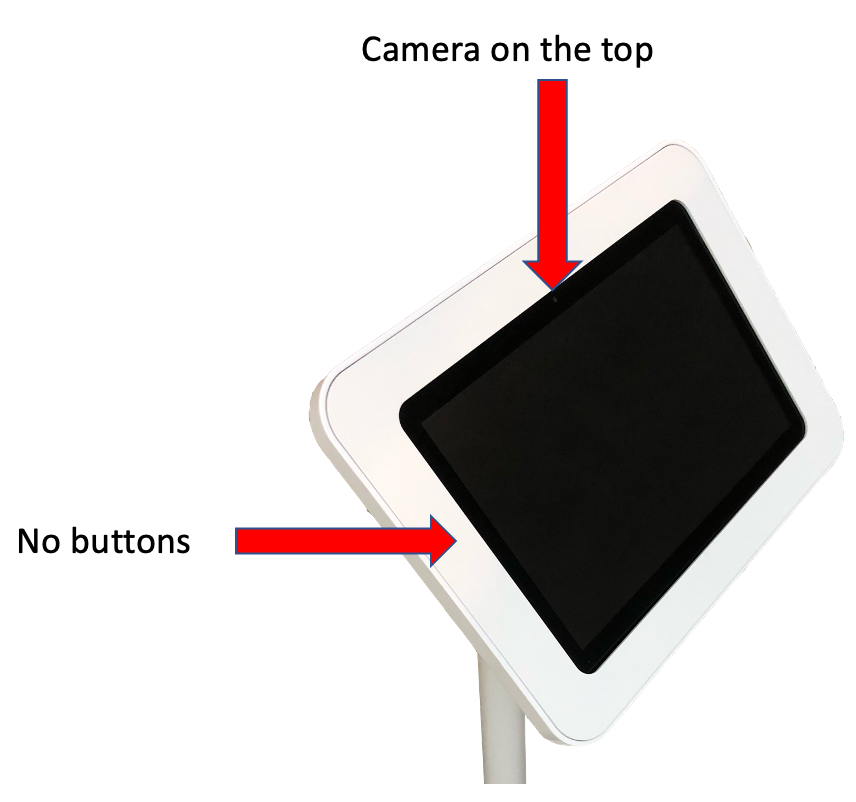
Let's get started:
Step 1: Make sure your tablet is up and running.
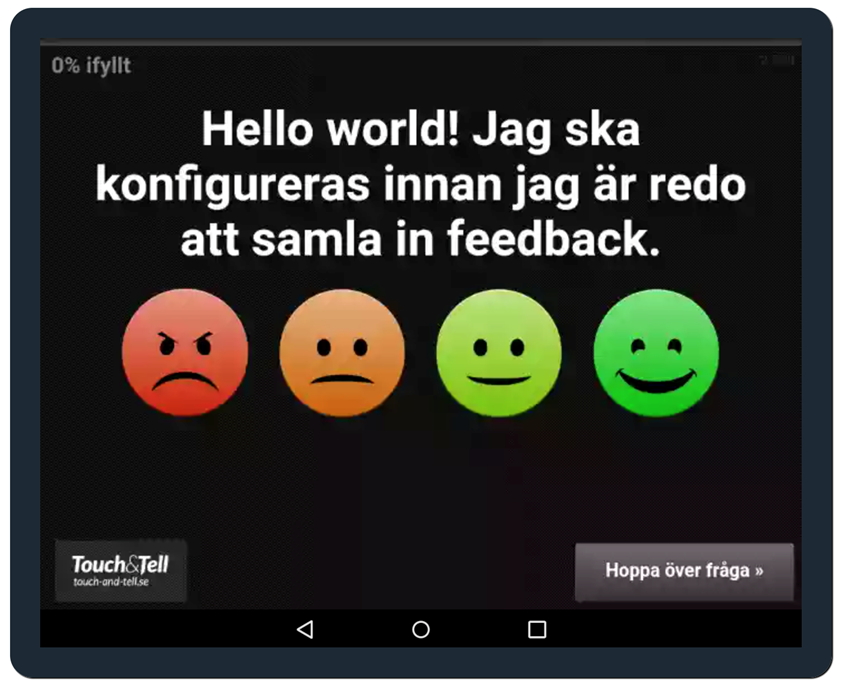
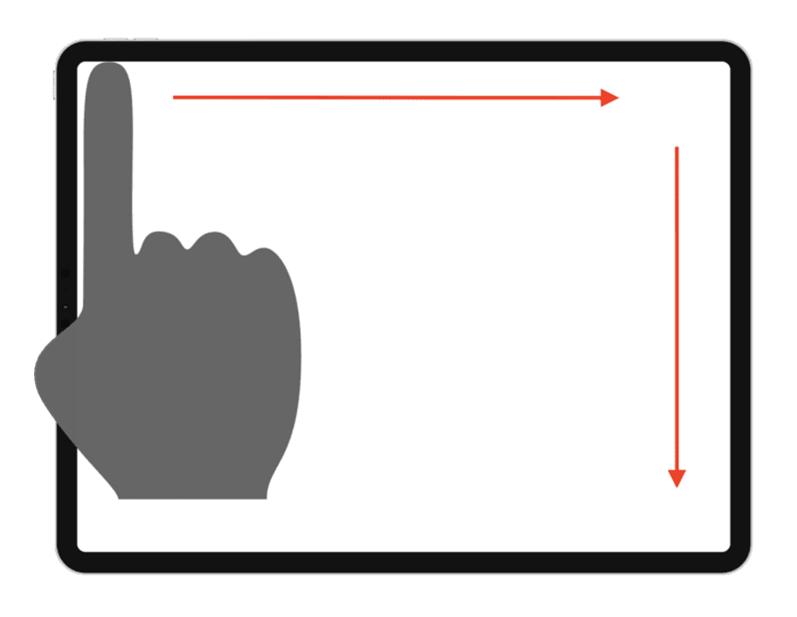
Step 2: To open the admin panel, swipe on the screen like the picture below.
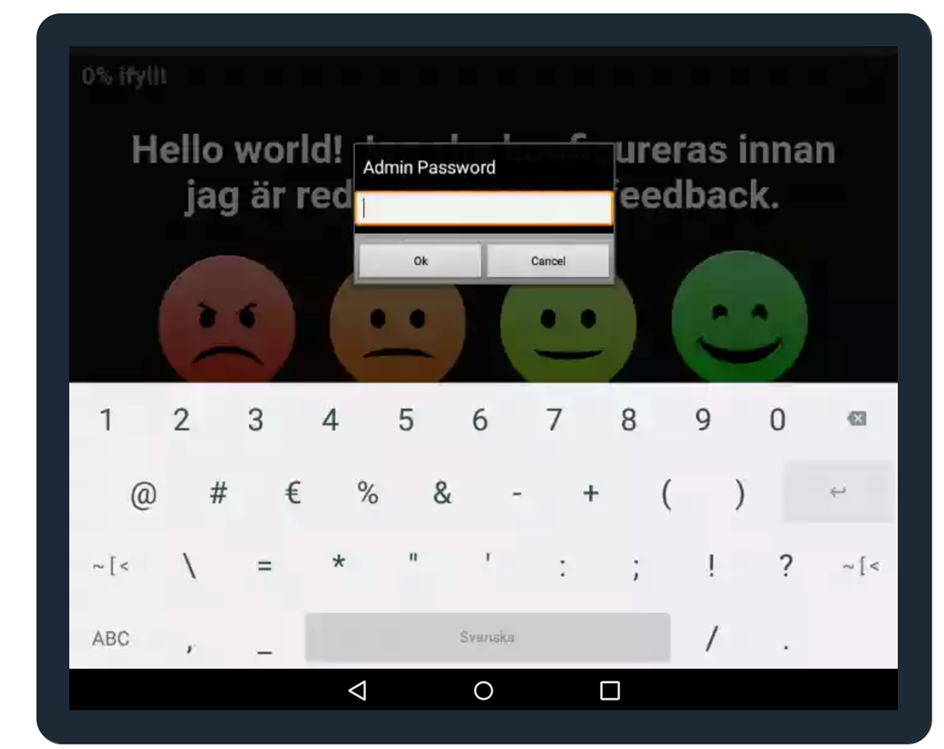
Step 3: A popup screen will appear that asks you to write the admin password. If you don't have it or have forgotten it please contact support@touchandtell.se
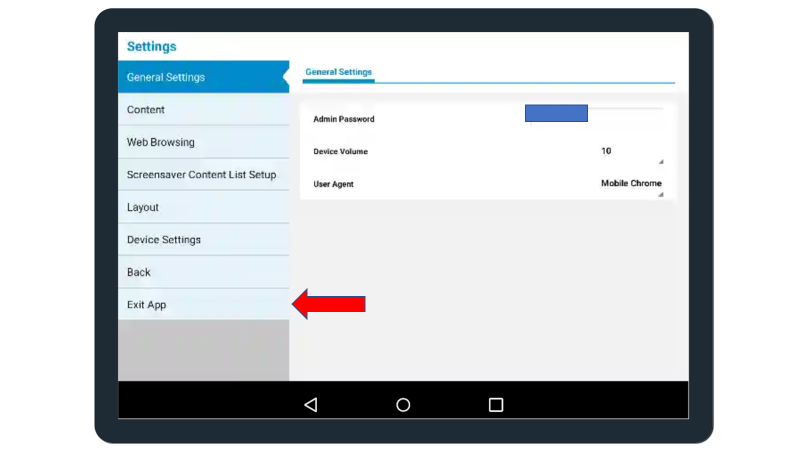
Step 4: Press on Exit App
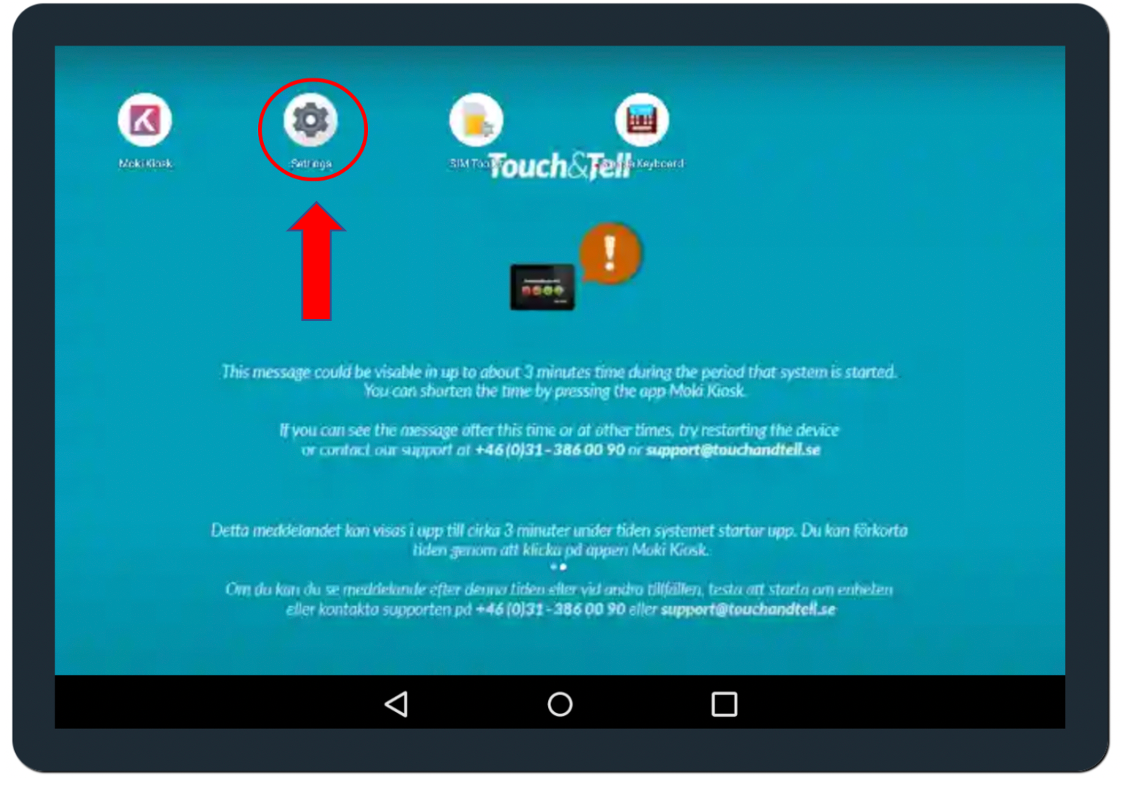
Step 5: Go to settings.
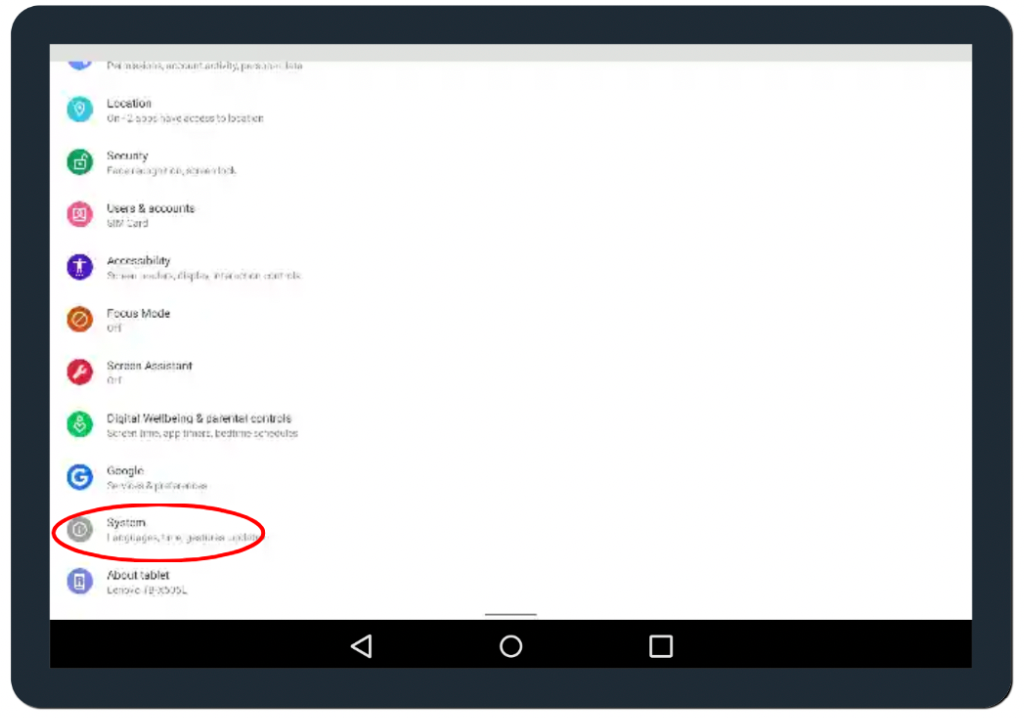
Step 6: Scroll down on the screen until you find the option system and press on it.
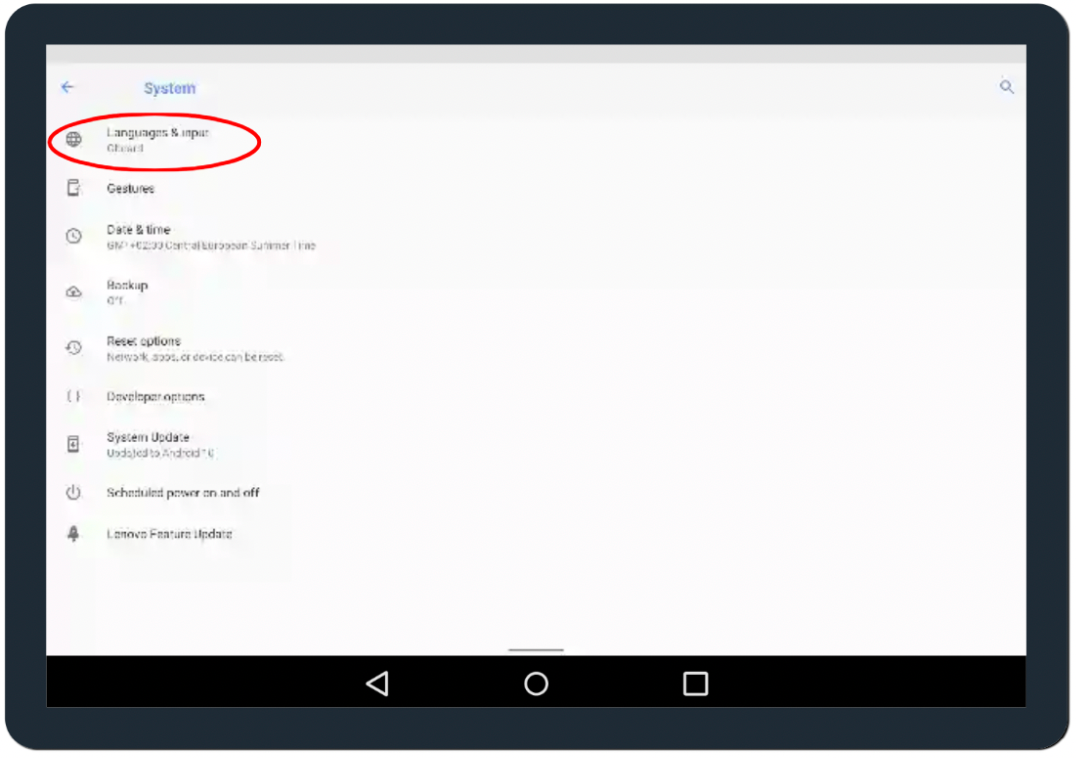
Step 7: Now press Languages & input.
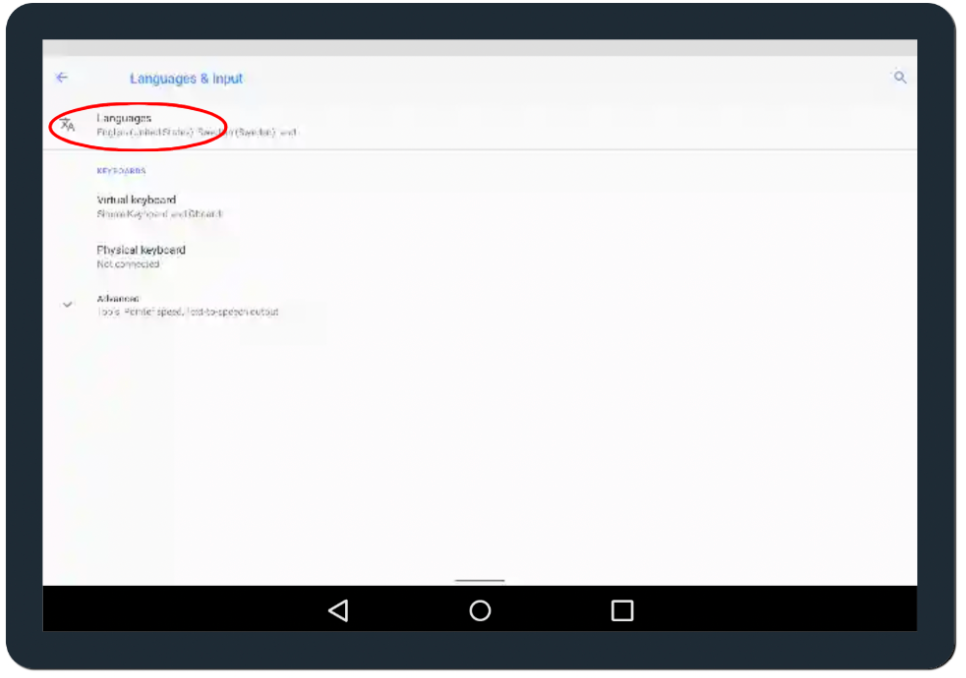
Step 8: Press Languages.
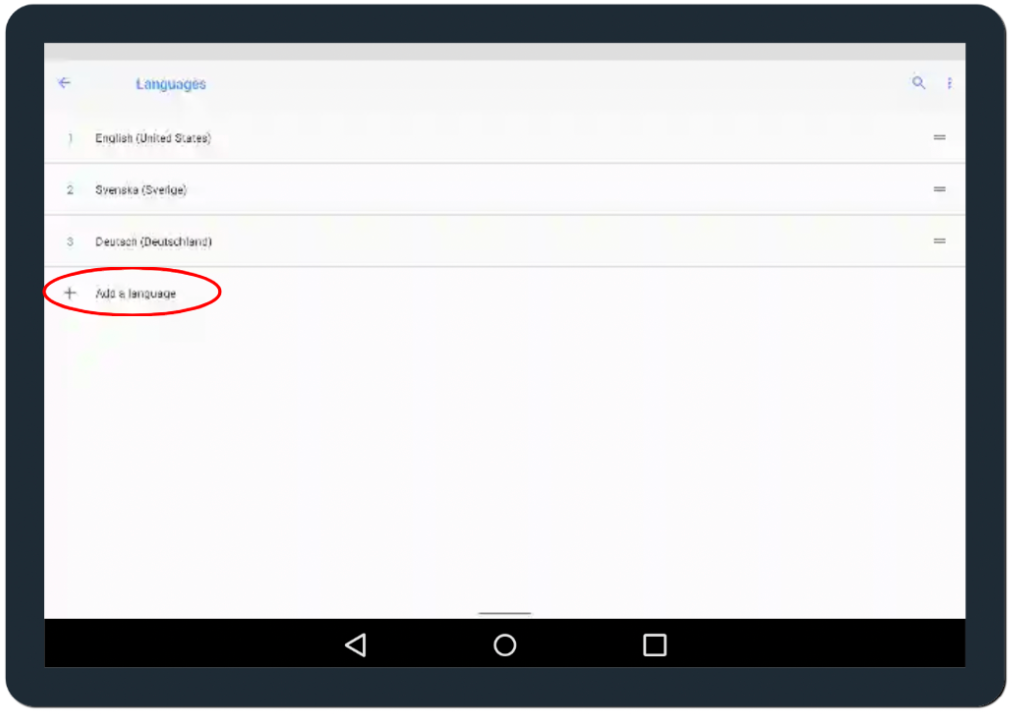
Step 9: Now add the languages you want by pressing the “ + add a language”.
Finished!